
Scaffolding software features
Scaffolding software features, in the order a job runs
From the first enquiry to the last invoice. We set Putlogic up around how your firm works, with the features you need switched on from day one. Add more whenever you're ready.
- 1Enquiry
- 2Quote and online acceptance
- 3TG20 sheet or design
- 4Programming gangs
- 5Erect and handover
- 6Scaff tags and inspections
- 7Adaptations and alterations
- 8Hire periods and extensions
- 9Strike
- 10Stock and wagon loading
- 11Invoicing
Also: Site team on phones Client portal Dashboard People and vans Branded paperwork One job, quote to invoice
Step 1: Enquiry
Enquiries, in one list
Stops enquiries going missing in a phone or an inbox.
Every enquiry sits in one list. Press Convert to Quote and Putlogic makes the customer, if they are new, and starts the quote with the site address and their message already in.
Step 2: Quote and online acceptance
How do I quote scaffolding jobs faster?
Stops evenings lost to typing quotes, and quotes lost to silence.
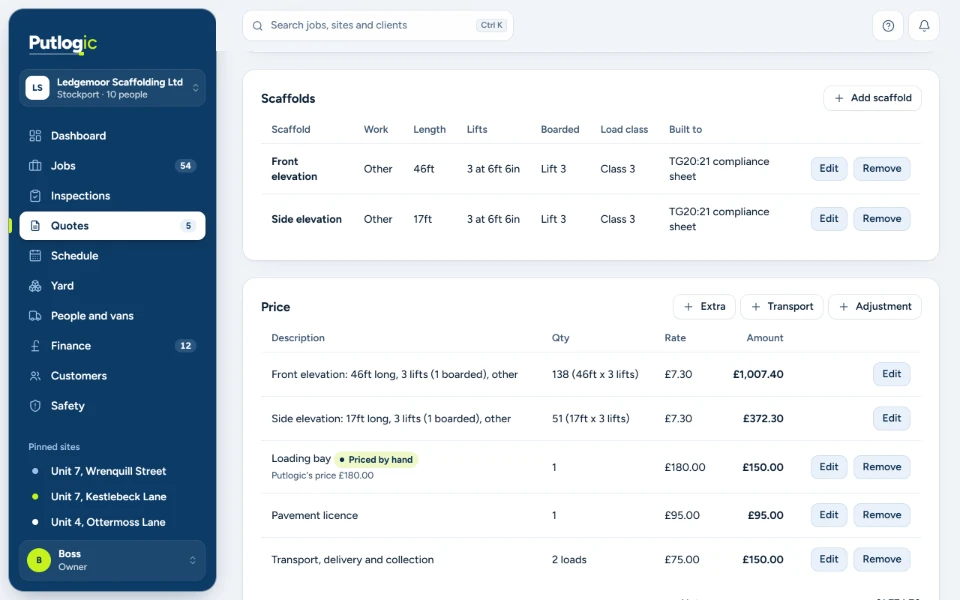
Price each elevation from your own rates, then send a branded quote your client can accept and sign online. Automatic follow-ups chase the ones that go quiet.
Quote it. Win it. Start it.
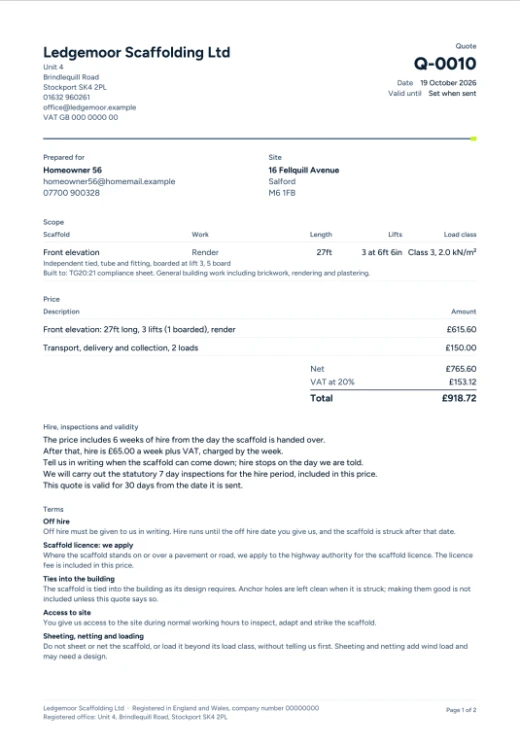
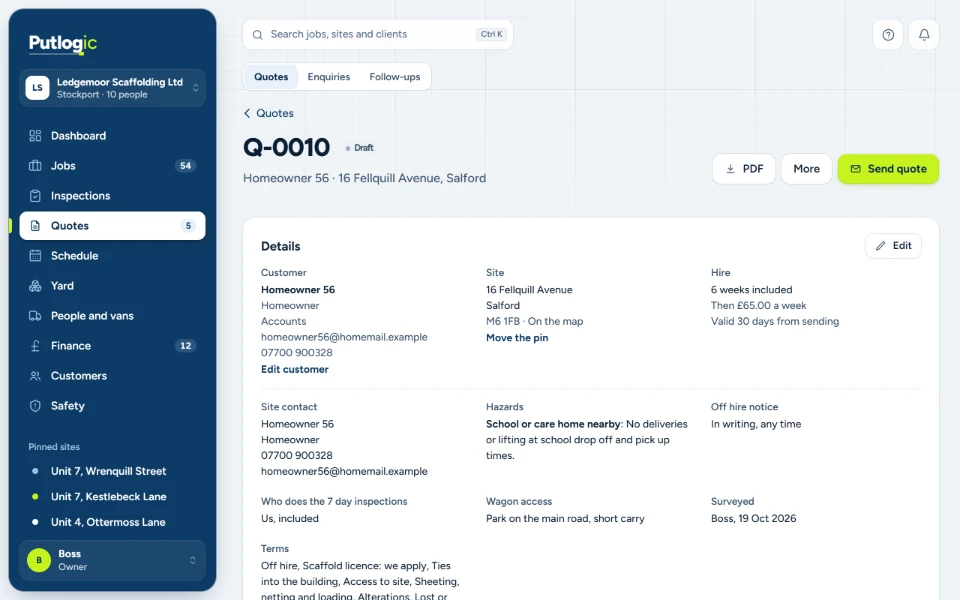
Price each elevation by length, lifts and boarded lifts from your own rates, then send a branded quote. Your client opens the link, accepts and signs it online, and the job is made with the site, price and hire already filled in.
- Quote by elevation from your price list
- Branded quote PDFs and emails
- Online acceptance and signing
- Automatic follow-ups on the days you choose
- Your win rate over the last 12 months
Step 3: TG20 sheet or design
What every scaffold is built to, on record
Stops guessing what a scaffold was built to.
Each scaffold records what it is built to: a TG20:21 or TG30 sheet from your firm's own register, a manufacturer's configuration or a design drawing. The reference goes onto the handover and inspection PDFs.
Step 4: Programming gangs
The right gang, the right order
Stops wasted trips and gangs sent to the wrong job.
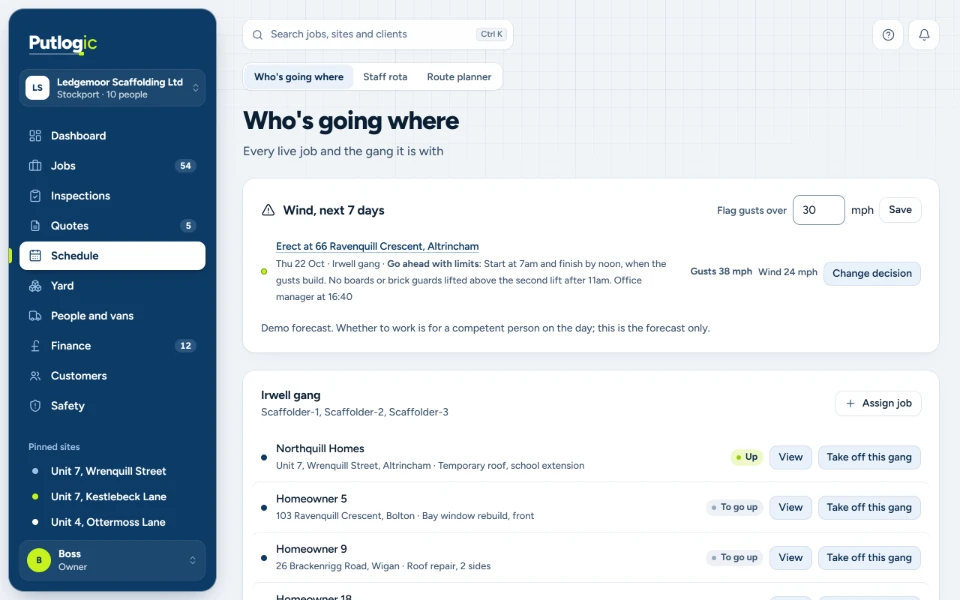
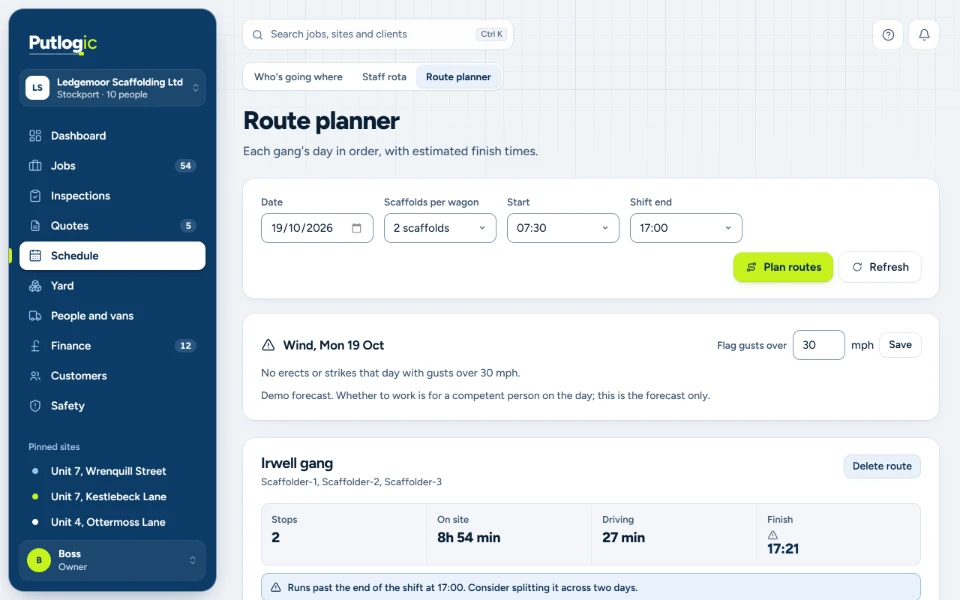
Plan the week, allocate tomorrow in one pass and let Putlogic put each gang's day in order from the yard, with drive, load and unload times. The wind card warns you about any erect or strike on a day forecast to gust over your limit.
- Week planner and staff rota
- Daily allocation
- Route planning with drive times
- Weather and wind warnings
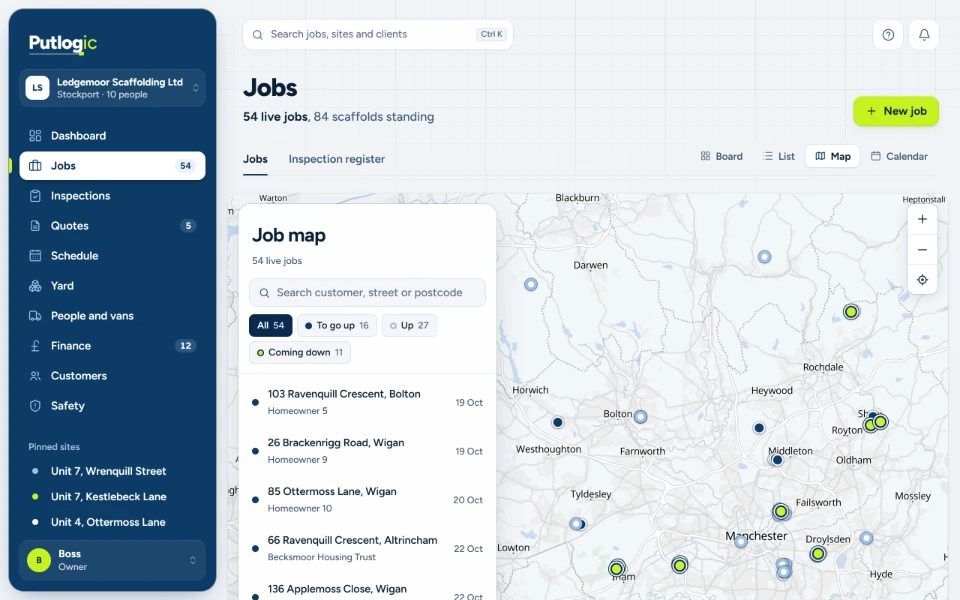
- Jobs board, map and calendar
Step 5: Erect and handover
How do I send a scaffold handover certificate digitally?
Stops handover certificates going missing in the van.
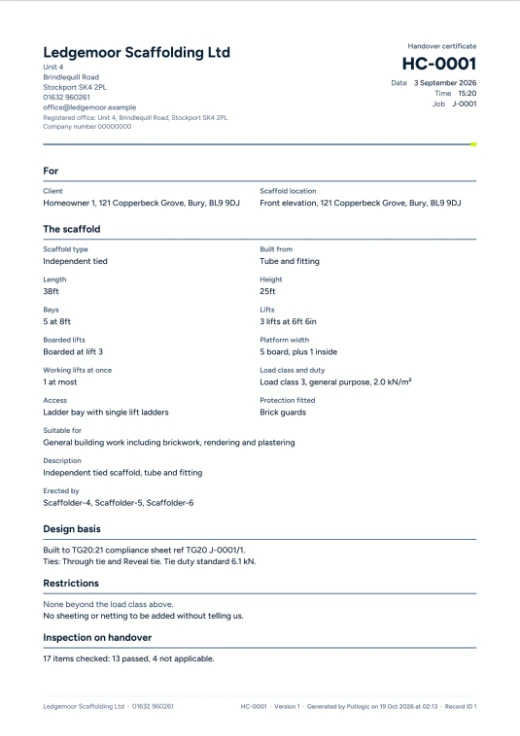
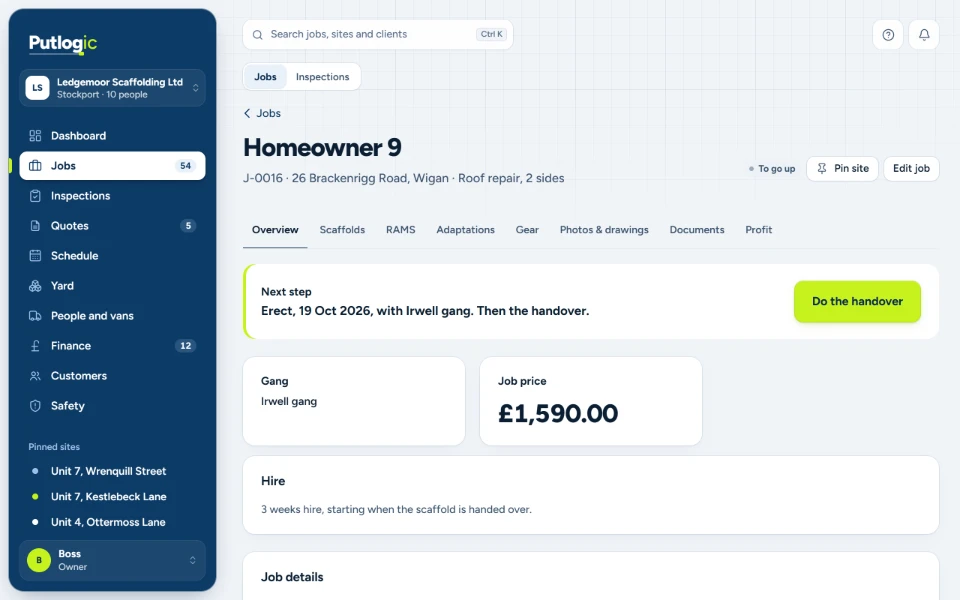
Sign it on site, on the phone. It's saved as a branded PDF on the job, your client gets their copy by email, and it's in their portal if you've invited them.
The hire clock starts the moment you hand over, so the hire period runs from the right day.
Step 6: Scaff tags and inspections
Can scaffold inspections be recorded on a phone?
Stops lost inspection sheets, and inspections nobody can find when they are asked for.
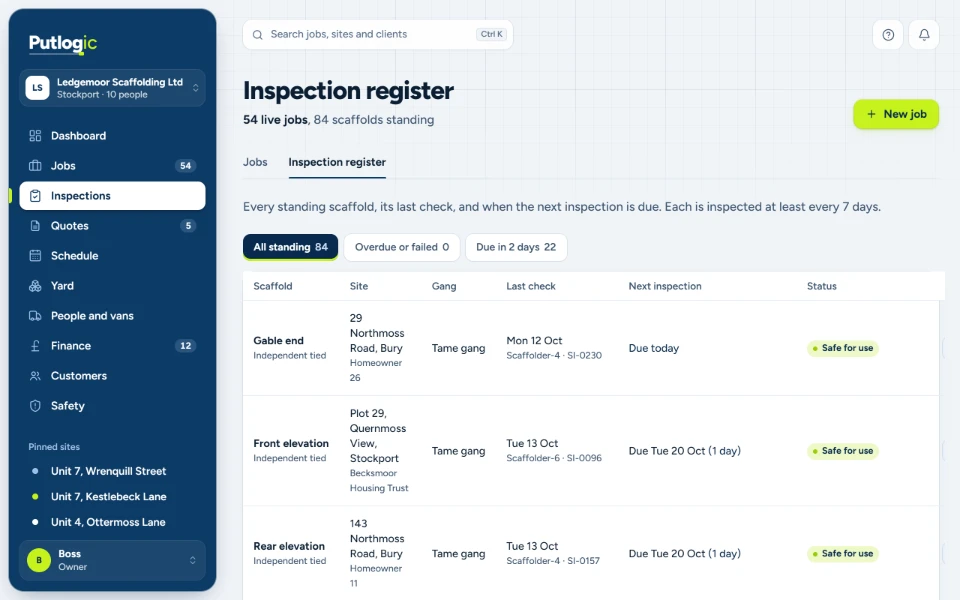
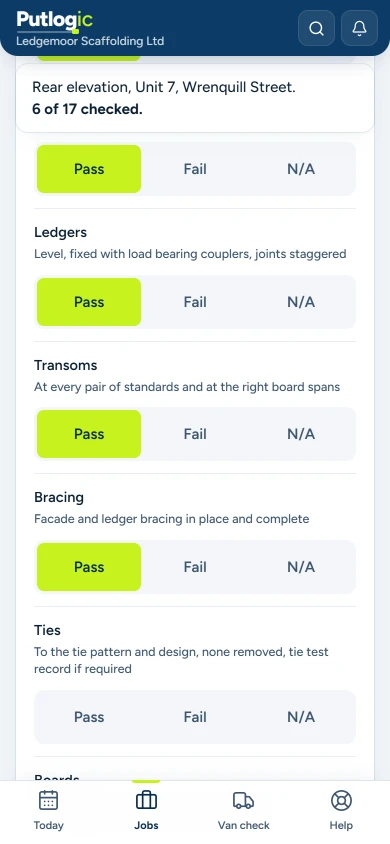
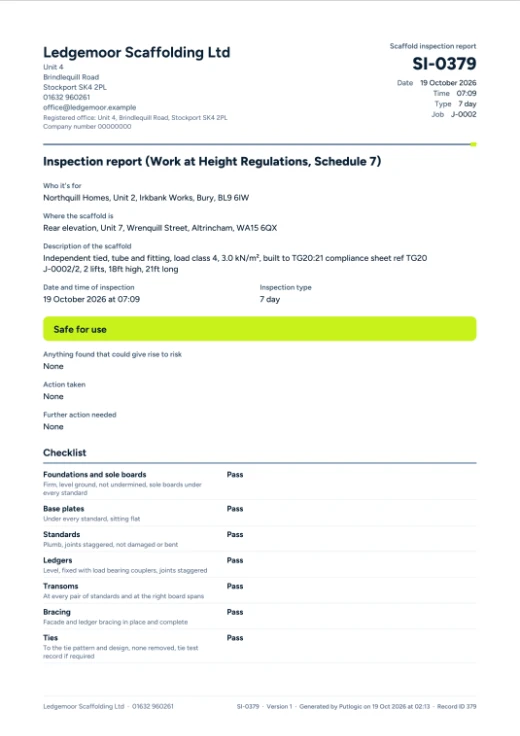
Yes. Inspections are done item by item on the phone, with photos, and saved as a PDF on the job.
Inspections, handovers and scaff tags are set up around how your firm already works.
Every scaffold standing, with its last inspection and the next one due, overdue and failed first. Inspections are done item by item on the phone, handover certificates are signed on site, and every record is filed to the job, ready when anyone asks for it.
- Inspections done on the phone, saved as PDFs
- Handover certificates signed on site
- QR scaffold tags on every scaffold
- Checks after high winds flagged
- Inspectors' CISRS cards and expiry on file
Step 7: Adaptations and alterations
Every adaptation, signed for
Stops extras done for free and adaptations nobody signed for.
The change is priced from your price list and signed on the phone by the site contact. It goes on the next invoice automatically, and anything unsigned is flagged. After an alteration, the inspection records the scaffold as it now stands and logs what changed.
Step 8: Hire periods and extensions
How do I track scaffold hire periods and extra hire charges?
Stops unbilled hire weeks.
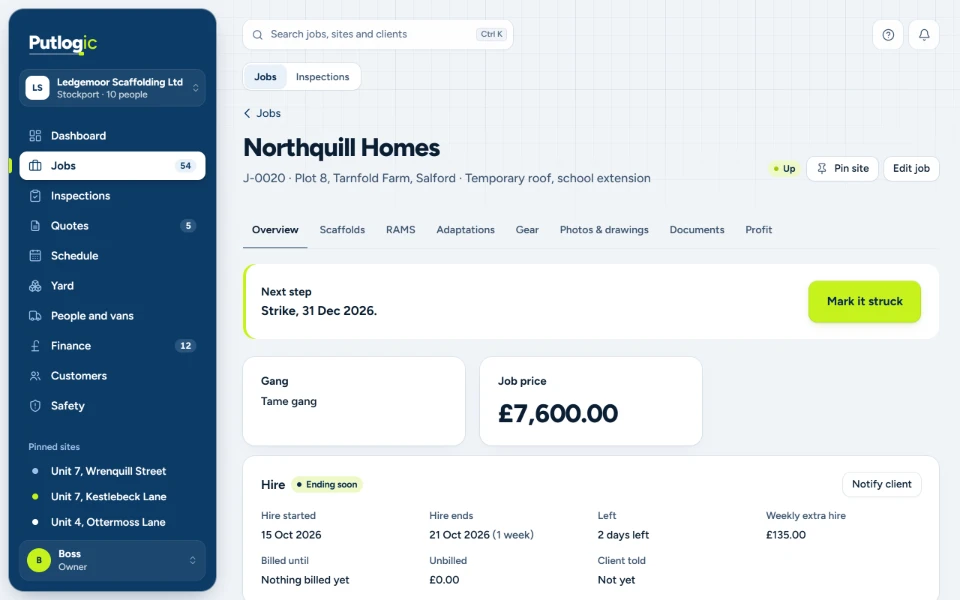
Every quote carries its hire period and weekly extra hire rate, and the hire clock starts at handover. When the hire runs out, Putlogic tells you, drafts a note to your client and drafts the extension invoice.
Weeks already billed can never be billed twice.
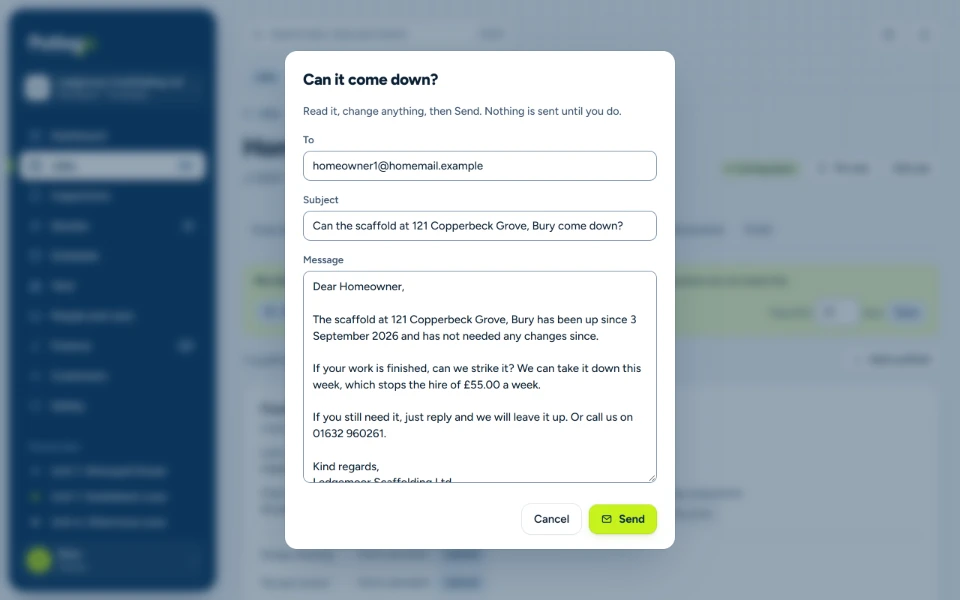
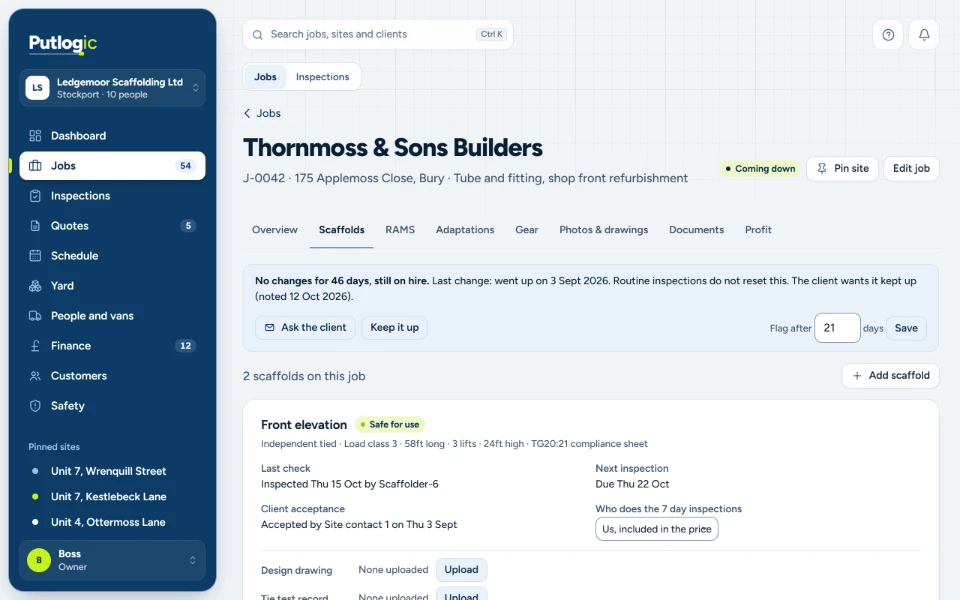
When a scaffold has had no work for weeks but is still on hire, Putlogic spots it. Press Ask the client and it drafts a polite email asking whether it can come down. Nothing goes until you press Send.
What's slipping through your fingers?
Put in your own numbers. It takes 20 seconds. The starting figures are only an example, so change them to match yours.
Walking off site every year
£12,435
- Unbilled hire
- £6,435
- Free adaptations
- £6,000
An estimate based on the figures you entered. If you like, bring your hire list and we will show you what is unbilled.
Done. Check your inbox, it is on its way.Thanks. We will email your results to you personally within one working day.
Step 9: Strike
Strike, with nothing left behind
Stops kit that never comes back going uncharged.
Jobs coming down show on the board and the map. Mark the scaffold struck when it's down: Putlogic asks you first, and Undo is there if you tap the wrong thing. The scaff tag then says it's struck, and whatever kit doesn't come back is booked as lost at its replacement price, ready to go on the invoice.
Step 10: Stock and wagon loading
Know where your kit is
Stops overloaded wagons and kit nobody can find.
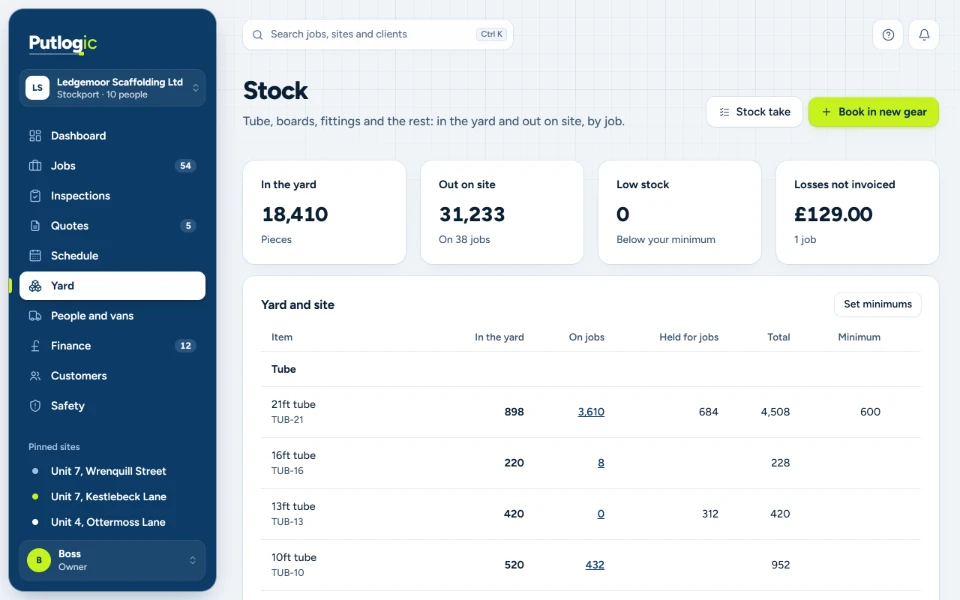
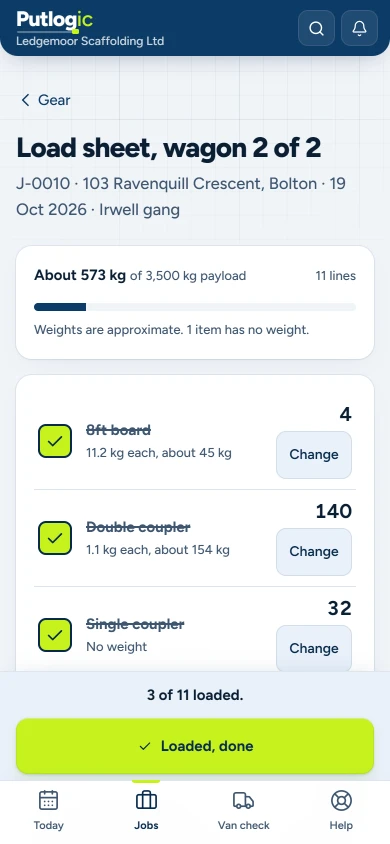
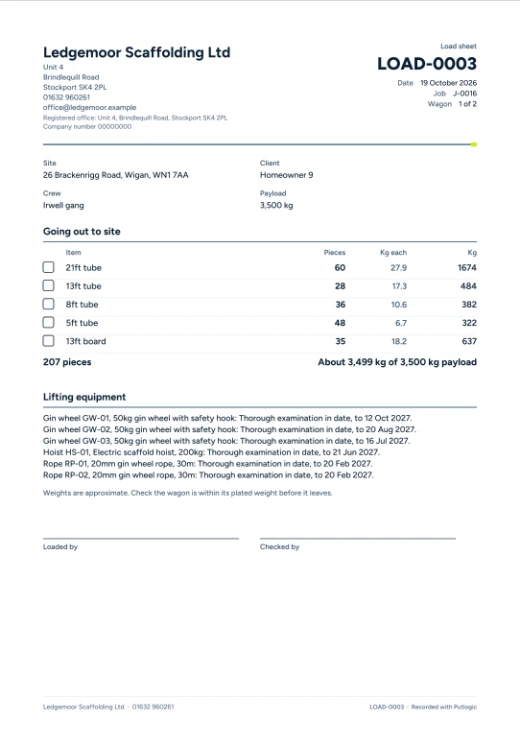
Tube, boards and fittings in the yard and out on site, by job, in feet. Load sheets are made from the quote's gear and split by the wagon's payload. At strike, whatever doesn't come back is booked as lost at its replacement price, ready to go on the invoice.
- Yard and site stock by job
- Low stock flagged
- Wagon load sheets checked against payload
- Lost gear charged at strike
Step 11: Invoicing
Billed before it's forgotten
Stops invoices slipping, and jobs losing money without anyone noticing.
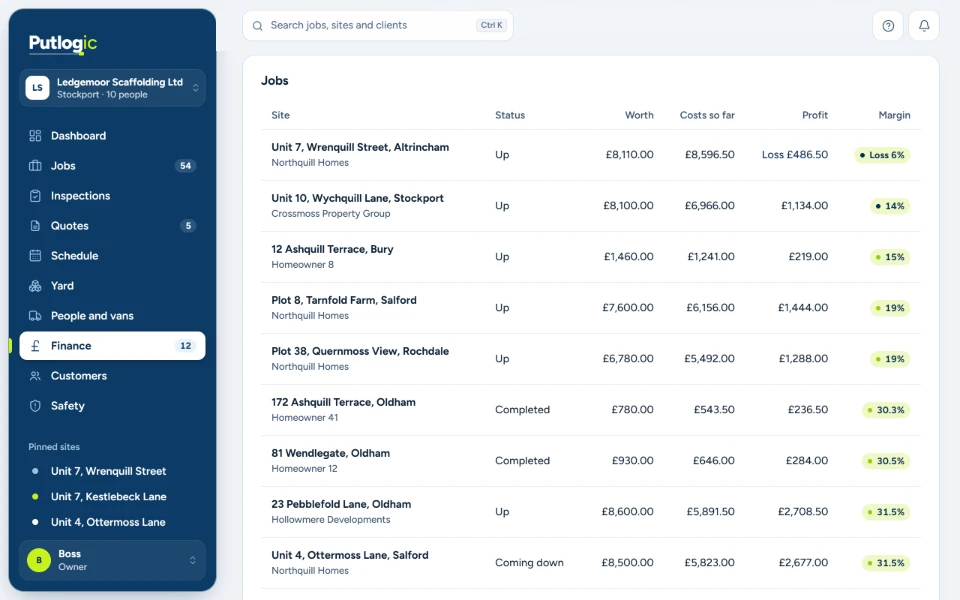
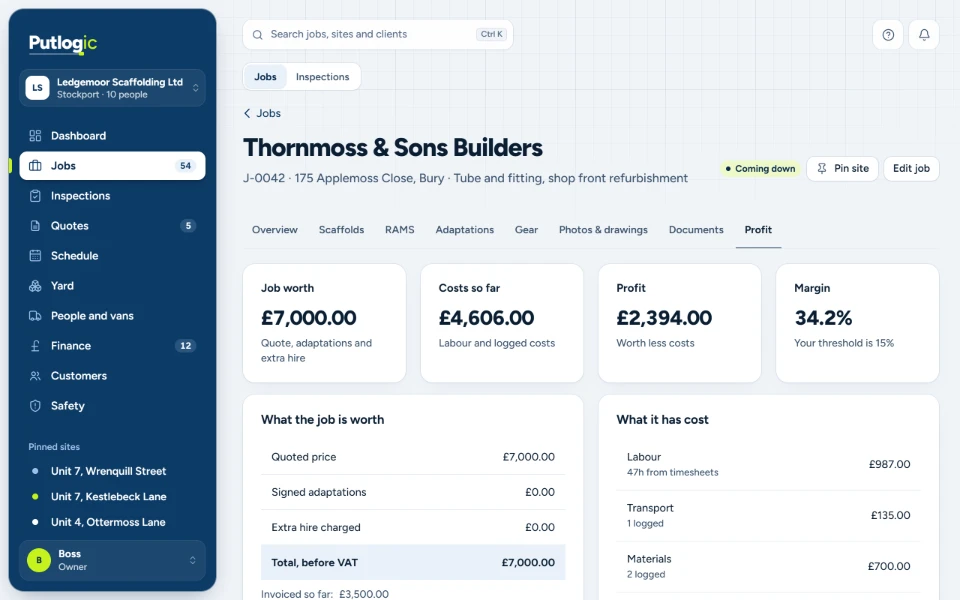
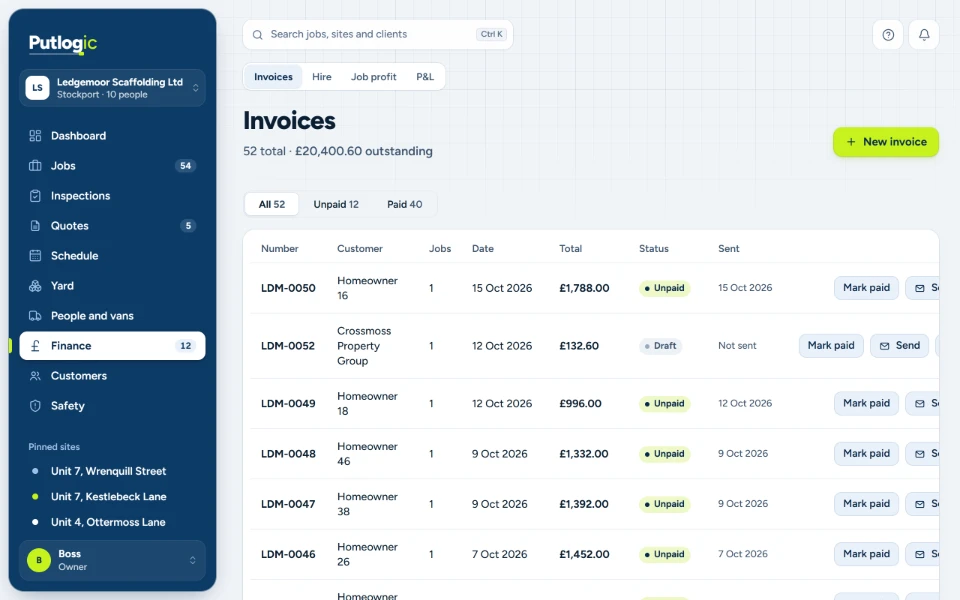
Hire, invoices and profit in one place. Extra hire and signed adaptations go on the invoice for you, and the Finance tab shows every live job's margin against your own flag, so a job going wrong shows up while you can still fix it.
- Hire clock and extra hire billing
- Signed adaptations added to the invoice
- Invoices, with overdue ones flagged
- Live job profit
- Monthly profit and loss, VAT on its own line
The dashboard
What happens when a scaffold fails inspection at 7am?
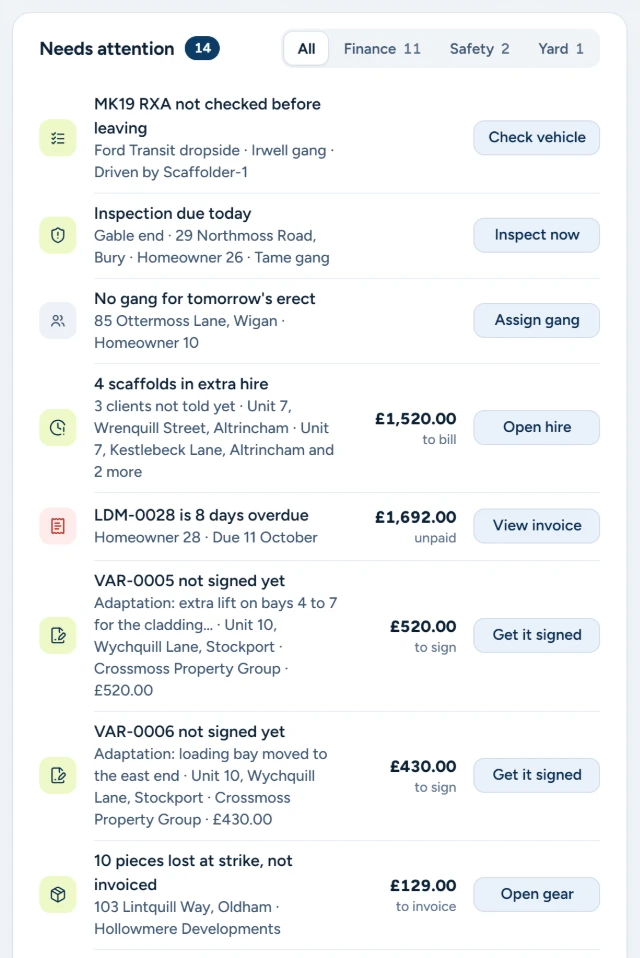
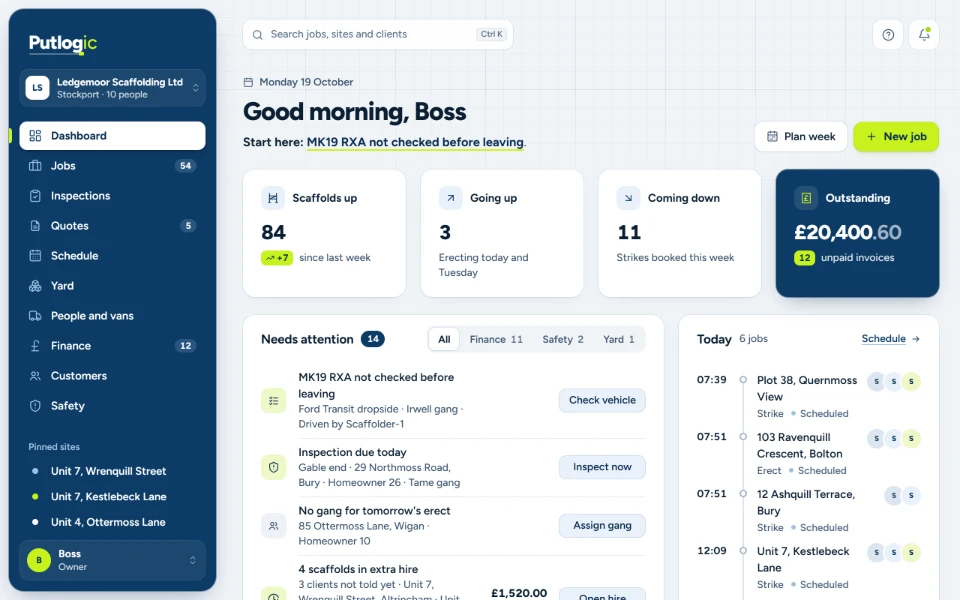
It goes straight to the top of one list, with the button to fix it. Hire running out, an overdue strike, a job with no gang, an unpaid invoice, van checks not done: everything that needs you today, most urgent first.
Needs attention
Most urgent first, sorted into Finance, Safety and Yard.
Today, by gang
Today's erections, strikes and inspections on one timeline.
Pinned sites
Your busiest sites one click away in the sidebar.
Search everything
Any job, site or client from the top of every screen.
Site team on phones
Site team on phones: built for gloves, not keyboards.
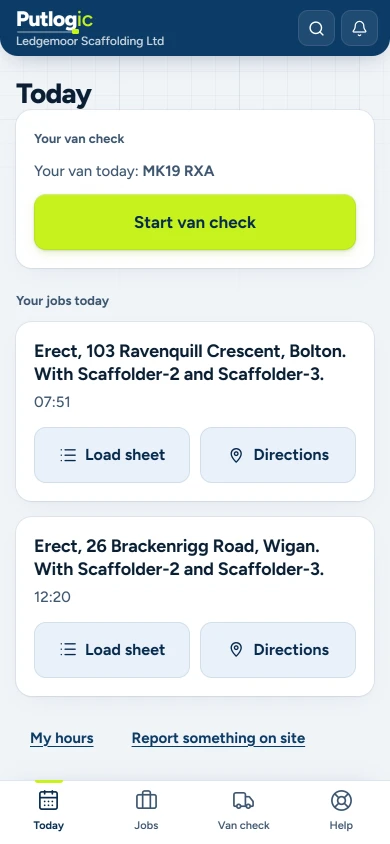
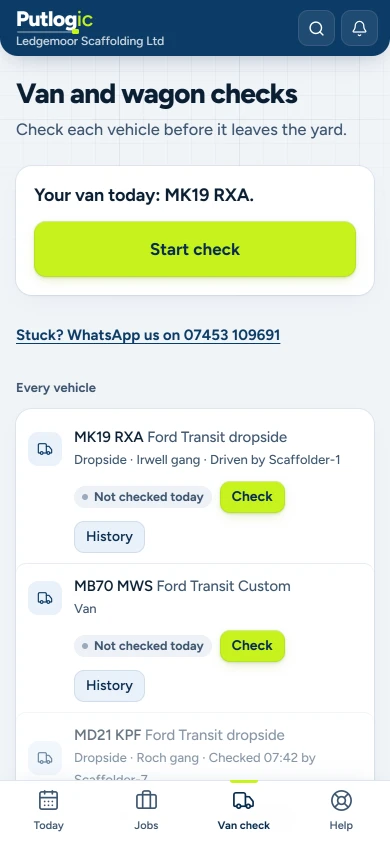
Works in the phone's browser. Nothing to download. This is exactly what your lads see: today's jobs, the van check and the inspections. No prices and no office screens. Big buttons and a few taps, and 25 site users are included.
Scaffold QR tags and client portal
Can clients see their jobs and documents without calling the office?
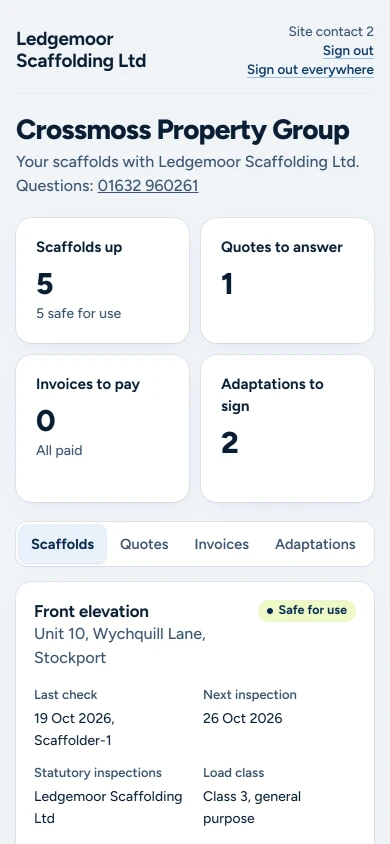
Yes. Clients you invite get their own portal: their scaffolds, last checks, handover certificates, quotes, invoices and adaptations to sign. You look like the biggest firm on site.
Print a QR tag for every scaffold. Anyone on site can scan it to see whether it says Safe for use or Do not use, when it was last inspected and by whom, and your phone number. Once a scaffold fails or is struck, the tag says so.
- QR tags with a public scan page, no prices or client details
- Quotes accepted and signed online from the email link
- A client portal, by your invite only: their scaffolds, last checks, handover certificates, quotes, invoices and adaptations to sign
People and vans
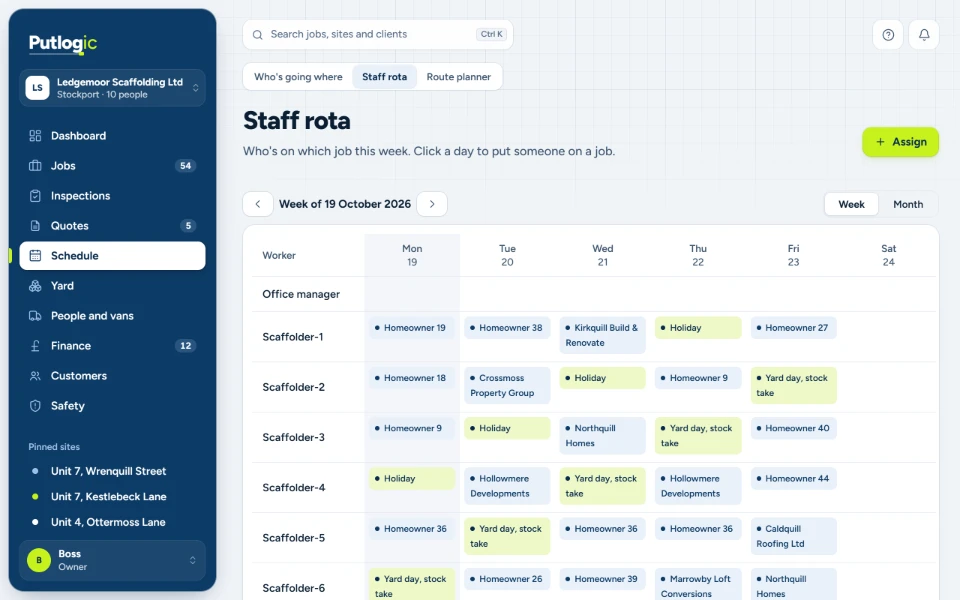
Who's where, all week
Stops missed van checks and MOTs that creep up on you.
The rota for every gang, with holidays and yard days, hours by job and daily van checks done on the phone. Van MOT dates are flagged before they're due, and everyone sees only what their role needs.
- Weekly rota
- Hours by job
- Daily van checks
- Van MOT dates flagged
- Access set by role
Branded PDFs and emails
Your name on every page.
Add your logo once. It goes on your quotes, handover certificates, scaffold tags, inspection reports and load sheets, and on the emails that carry them.
The framework behind the framework.
What does one job look like, quote to invoice?
A walk through Putlogic from the quote to the invoice, with one job for Thornmoss & Sons Builders, a made-up client, at 175 Applemoss Close, Bury. Real Putlogic screens, filled with demo data. All firms, people and addresses are made up.
What changes when you stop running on spreadsheets and WhatsApp?
| Job | Spreadsheets and WhatsApp | Putlogic |
|---|---|---|
| Quotes | Typed up at 10pm | Priced by elevation from your own rates, sent branded, accepted and signed online |
| Hire and off hire | Hire runs over and nobody notices | The hire clock starts at handover. Extra hire is flagged and the invoice drafted |
| Adaptations | Agreed on the phone, never billed | Priced, signed on site and added to the next invoice |
| Inspections | In the van, or a drawer | Done on the phone as you go, filed to the job, with overdue and failed ones flagged |
| Stock | Kit left on site, never counted back | Yard and site stock by job, with lost gear booked in at strike |
| Site team | WhatsApp groups and phone calls | Today's jobs, route, hours, checks and inspections on their phone |
| Clients | Ring your office | A QR tag on every scaffold, and their own portal |
| Profit | Known at year end | Known on every job, live |
See your week in Putlogic, in 30 minutes.
30 minutes with Reece, who built Putlogic. On a video call or a normal phone call if you prefer.